The 12 Best WordPress Plugins for SEO: Our Kelowna Agency’s Top Picks
If you’ve ever stared at the thousands of plugins available for your WordPress site, you’re not alone. It can feel a little overwhelming, especially when you’re trying to grow your business online.
You know you need the right tools to get your Okanagan business noticed on Google, but which ones actually work? And more importantly… which ones won’t slow down your site or cause a technical headache you just don’t have time for?
We get it. We’ve been building and optimizing websites for businesses here in Kelowna and across the valley for decades. Over the years, we’ve tested… well, pretty much all of them. So, we've put together our honest, no-fluff guide to the best WordPress plugins for SEO. These are the tools we trust and use for our partners, broken down to help you make a smart choice.
Think of this as your shortlist. We'll look at the heavy hitters like Yoast and Rank Math, but also peek at specialized plugins for things like site speed and schema markup. For each plugin, we'll give you a clear rundown of what it does best, who it's for, and what to watch out for. You'll find screenshots, direct links, and practical advice to help you pick the right combination for your specific needs, whether you're running a real estate agency in Penticton or a tourism business in Vernon. Let’s dive in.
1. WordPress.org Plugin Directory (SEO category)
Before you can even think about which specific tool is one of the best WordPress plugins for SEO, you need a safe and reliable place to find them. That place is the official WordPress.org Plugin Directory. Think of it as the official app store for everything that extends your website’s functionality, straight from the source. It’s your first and most trustworthy stop.
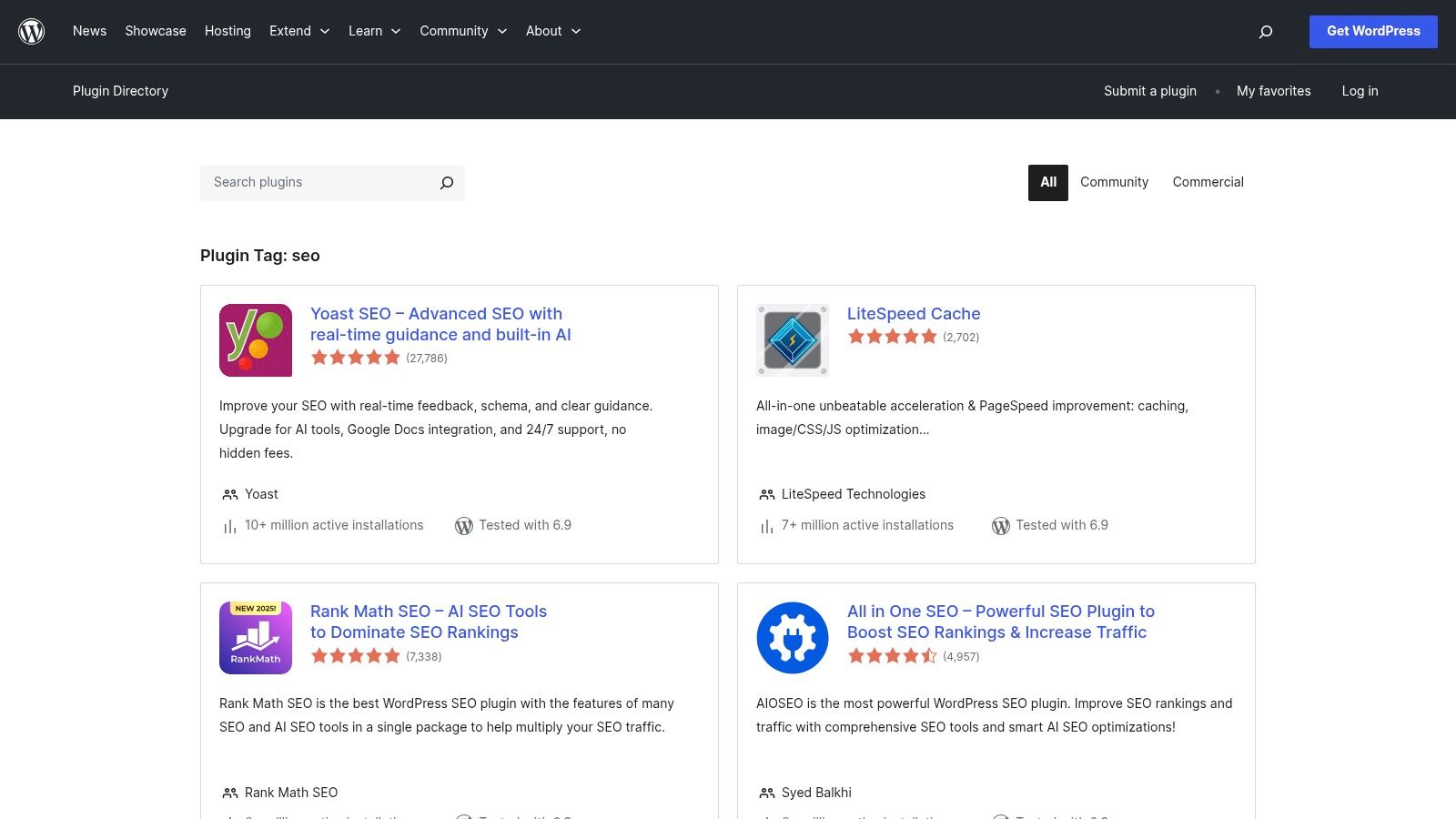
You can access it directly from your WordPress dashboard under "Plugins" > "Add New," making installations a one-click affair. The directory is your research hub. You can see how many active installations a plugin has, read real user reviews, check when it was last updated, and confirm its compatibility with your version of WordPress. This transparency helps you dodge outdated or poorly supported plugins that could cause security headaches. Learning to navigate this directory is a core part of mastering your website's performance; you can explore the fundamentals by reading about the best practices for WordPress SEO.
Key Considerations
-
Access & Cost: Completely free. It's the central repository for the free versions of almost every reputable plugin.
-
Pros: It’s the most trusted source, managed by the WordPress team. Essential data like update history and active installations provide critical insights into a plugin's health and popularity.
-
Cons: The quality can vary wildly among lesser-known plugins. Premium or "Pro" features are almost always sold on the developer’s private website, not here.
2. Yoast SEO (official site)
When you’re looking for one of the best WordPress plugins for SEO, Yoast is often the first name that comes up, and for good reason. The official Yoast website is more than just a place to buy a premium license; it's an entire educational ecosystem. This is where you gain access to their renowned Yoast SEO Academy, comprehensive documentation, and direct product support, making it the central hub for mastering the plugin.
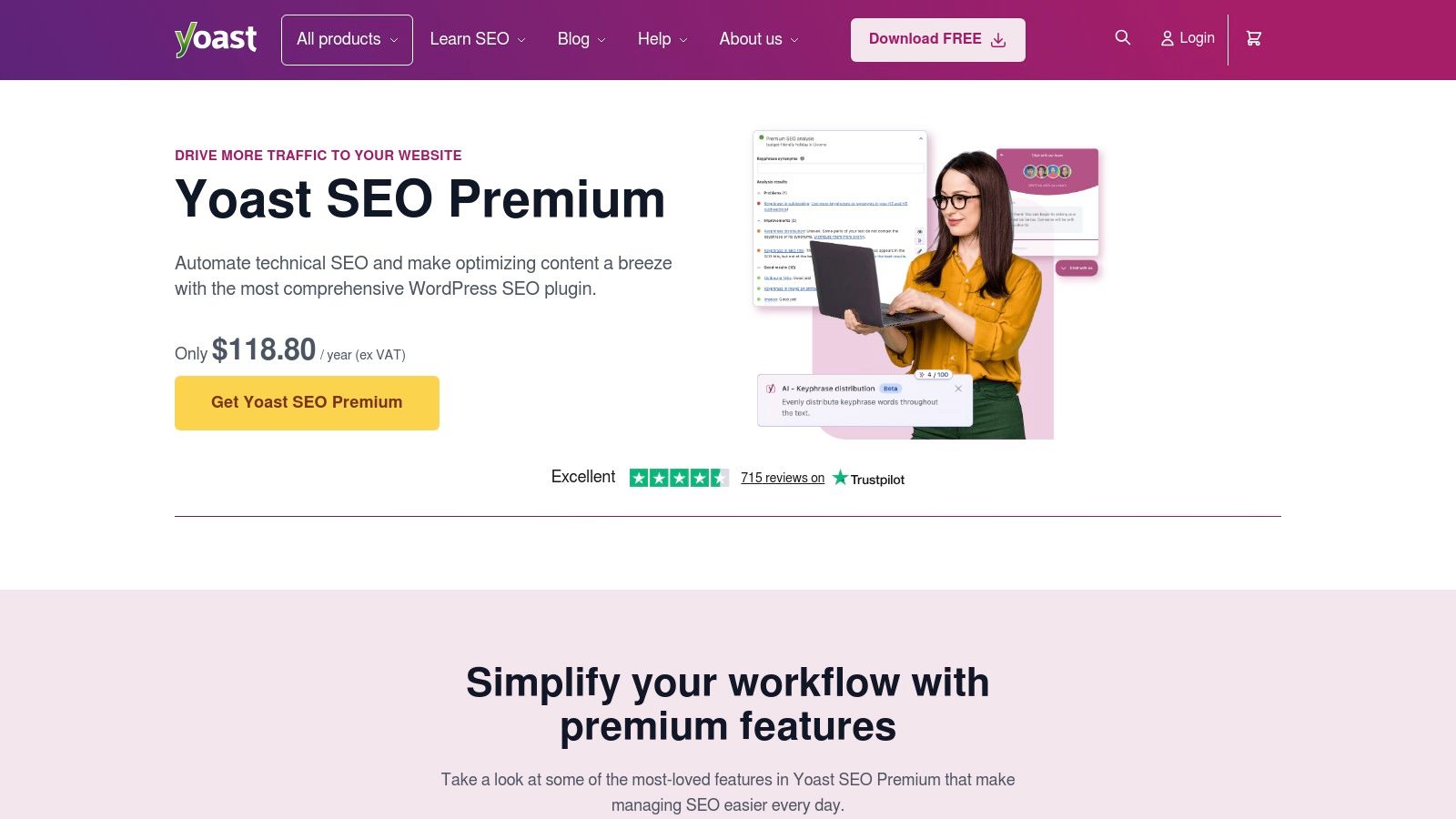
The site serves as the command center for unlocking the plugin's full potential. The premium features sold here introduce powerful tools like internal linking suggestions, redirect management, and social media previews. It’s also where you can get help with the more complex, automated features like canonical URLs and sitemaps. If you're getting serious about your website's performance, understanding the fundamentals of how these tools work is key; you can explore the details by learning what technical SEO is. The official site is your direct line to the creators and their wealth of knowledge.
Key Considerations
-
Access & Cost: The core plugin is free from the WordPress directory. Premium plans start at $99 USD/year per site, with bundles available for more features.
-
Pros: It has a long and trusted track record with extensive documentation and courses available right on the site. Its schema implementation and content analysis tools are top-notch.
-
Cons: The user interface can feel a bit heavy if you prefer a more minimalist approach. Premium licensing is on a per-site basis, which can get pricey for agencies managing multiple client websites.
3. Rank Math (official site)
If you're looking for a powerful tool that packs a huge number of features into one package, the official Rank Math website is your destination. This is where you can explore and purchase what many consider one of the best WordPress plugins for SEO, known for its lightweight code and impressive feature set. The site clearly lays out its free and premium tiers, helping you decide if its modular approach fits your business needs.
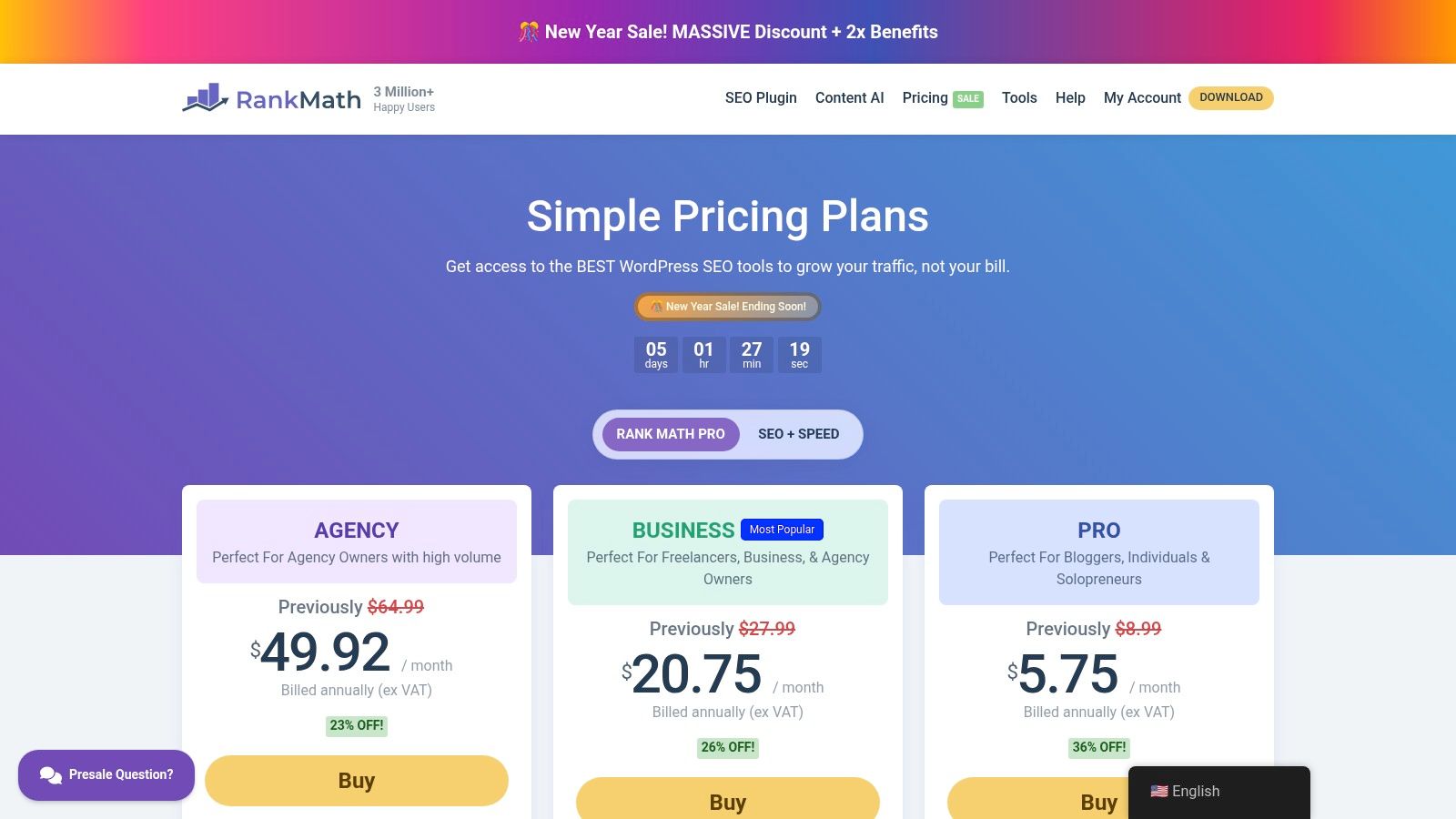
Visiting the official site gives you the full picture. You can see detailed comparisons of the PRO, Business, and Agency plans, which include advanced features like a powerful schema generator, rank tracking, and seamless integration with Google Analytics. This direct-from-the-source approach ensures you understand the full value and potential roadmap of the tool before committing. It’s a smart stop for anyone serious about leveling up their technical SEO game.
Key Considerations
-
Access & Cost: The core plugin is free. PRO and Business plans are available through annual subscriptions on their website, with pricing and features clearly detailed.
-
Pros: The free version is incredibly generous with features that are often paywalled elsewhere. The user interface is fast and modern, and its modular design lets you turn features on or off to keep your site lean.
-
Cons: The sheer number of modules and settings can feel overwhelming for beginners. Pricing and renewal rates can change, so it's wise to review the terms before your initial purchase.
4. All in One SEO (AIOSEO) (official site)
As one of the original SEO plugins for WordPress, All in One SEO (AIOSEO) has a long-standing reputation for being powerful yet remarkably user-friendly. Visiting its official site is where you unlock its full potential. This is the central hub for purchasing premium licenses, accessing detailed documentation, and getting support for one of the most comprehensive and best WordPress plugins for SEO available. Its setup wizard is particularly helpful, guiding you through the initial configuration so you don't feel overwhelmed.
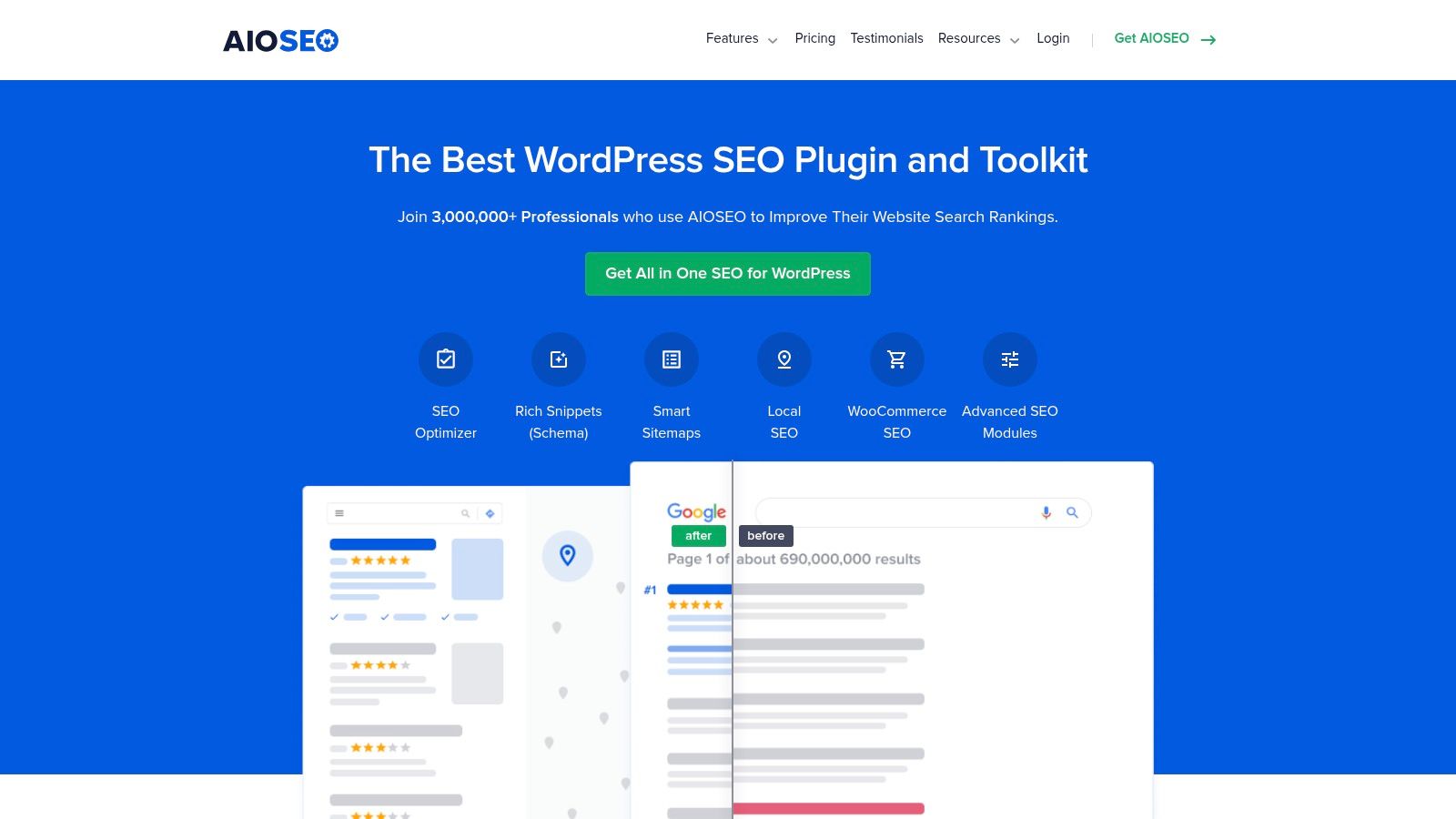
The platform focuses on providing actionable advice right inside your editor with its TruSEO score, which gives you a checklist to improve your on-page optimization. The site lays out its various plans clearly, making it easy to see which features, like the advanced Local SEO module or WooCommerce enhancements, are included in each tier. This makes it a strong contender for small businesses, especially those in the Okanagan that need to nail their local search presence. You can manage all your site licenses directly from your account dashboard on aioseo.com.
Key Considerations
-
Access & Cost: A free version is available on WordPress.org. Premium plans start at around $49.60 USD per year, with higher tiers offering more advanced features and more site licenses.
-
Pros: The user interface is clean and the onboarding wizard simplifies setup. Its feature set, including schema tools and a redirect manager, is robust and well-organized.
-
Cons: Many of the most powerful features are reserved for the higher-priced Pro plans. The annual licensing model limits the number of websites you can use it on depending on your subscription.
5. SEOPress (official site)
SEOPress is a powerful and surprisingly lightweight contender that many developers and agencies love for its clean interface and comprehensive feature set. It’s a full-featured tool that avoids the clutter and aggressive upselling some other plugins are known for. Visiting the official SEOPress site is where you’ll find their PRO licenses, including a very attractive option for unlimited sites—a huge plus for anyone managing multiple projects.
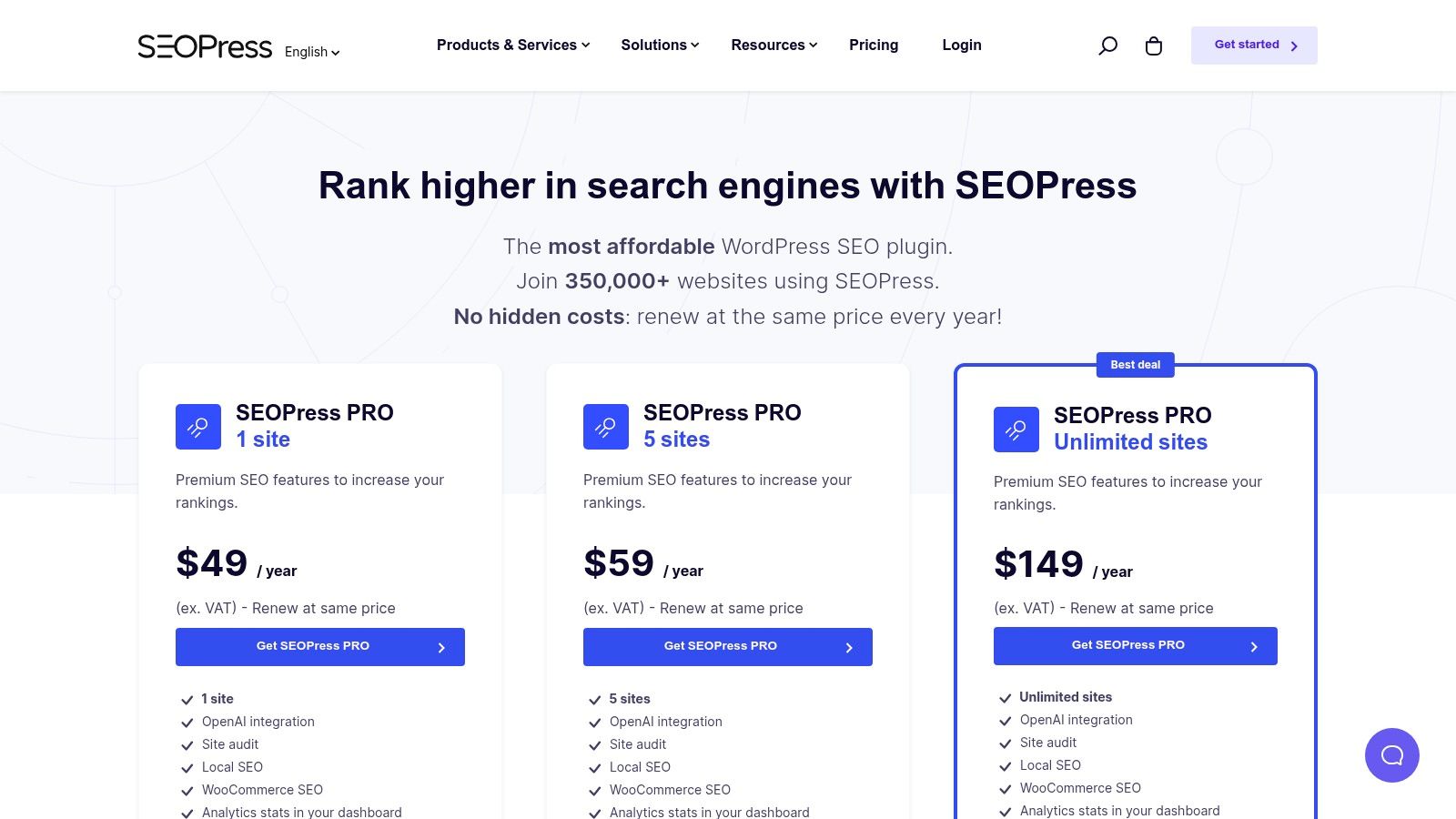
This plugin packs a serious punch, offering advanced schema types, specialized sitemaps for news and video, and even white-labeling, which is fantastic for agencies. A standout feature is its recent integration with OpenAI for generating meta descriptions, which can be a real time-saver. Their optional Insights add-on also provides rank tracking right from your dashboard. For those looking for one of the best WordPress plugins for SEO that balances robust features with a clean user experience, SEOPress is definitely worth a close look on its official website.
Key Considerations
-
Access & Cost: A feature-rich free version is available on WordPress.org. PRO plans with advanced features like unlimited site usage are sold directly at seopress.org, with pricing that is highly competitive.
-
Pros: The unlimited sites plan offers incredible value. The user interface is exceptionally clean, with minimal upsell notices, creating a more focused workflow. White-labeling makes it an agency favorite.
-
Cons: It's a smaller brand than some of the giants, meaning you'll find fewer third-party tutorials and guides. The powerful Insights add-on for rank tracking is priced on a per-site basis, which can add up.
6. The SEO Framework (official site)
If you're a developer or just someone who appreciates a super clean, no-nonsense approach, The SEO Framework is a breath of fresh air. It’s designed to be lightweight, fast, and completely free of the ads and upsells you see in other plugins. Its whole philosophy is built on performance and privacy, giving you powerful automated SEO enhancements without slowing your site down. It’s a fantastic choice for those who know their way around WordPress and want a tool that gets the job done without getting in their way.
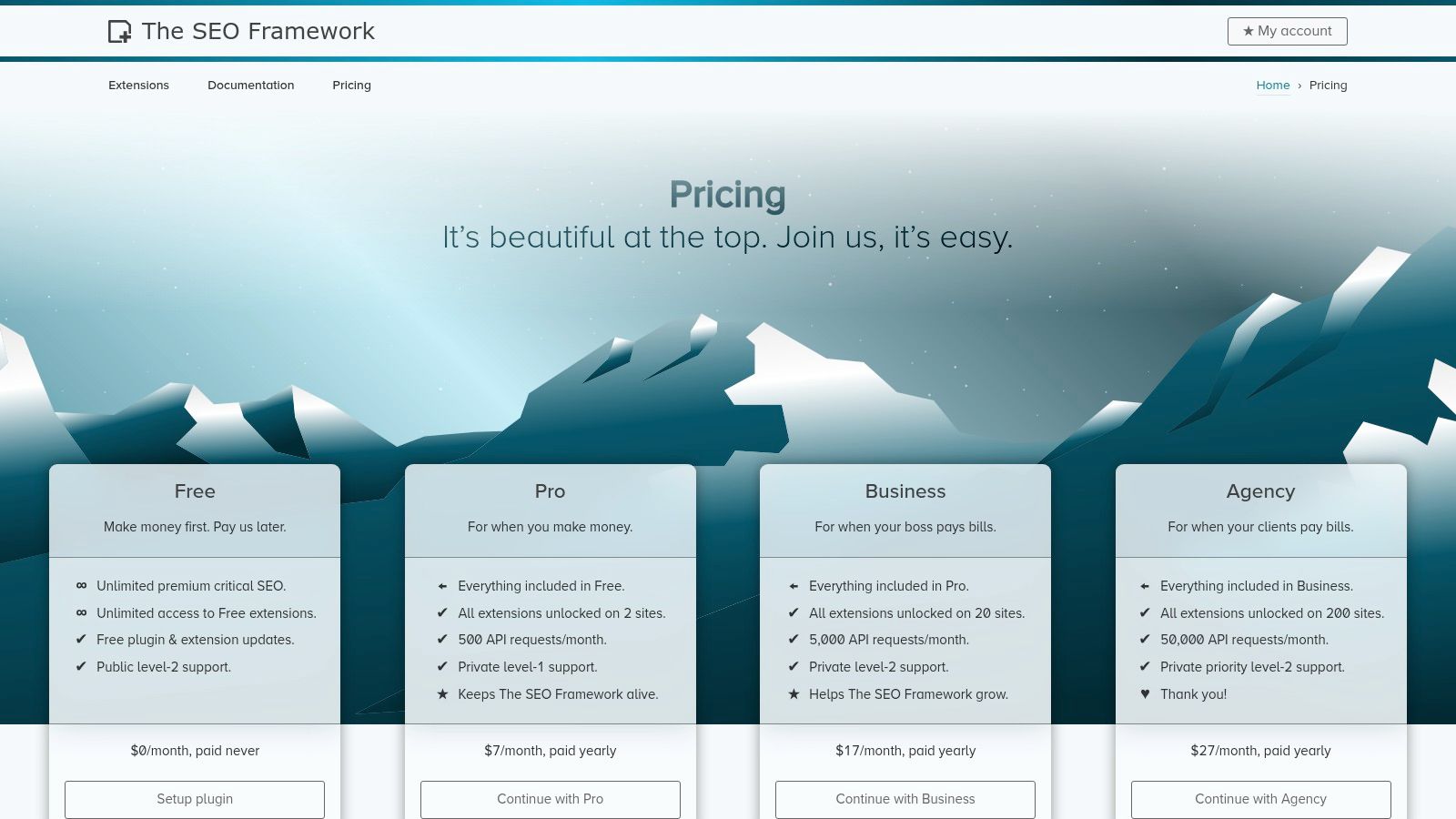
This plugin is one of the best WordPress plugins for SEO for users who prioritize efficiency. Out of the box, it intelligently generates critical meta tags and optimizes your site according to SEO best practices, so you’re covered from the start. For more advanced features, you can visit their official site to purchase premium extensions that add things like focus keyword analysis, local SEO, and article schema. This modular approach ensures you only add what you need, keeping your website lean and speedy.
Key Considerations
-
Access & Cost: The core plugin is free. Premium features are available through paid plans, which start at $7 USD/month and offer bundles of extensions for one or more sites.
-
Pros: Extremely lightweight and fast, with a clean, ad-free interface. It’s very developer-friendly and offers excellent value on its multi-site licenses.
-
Cons: It offers less hand-holding than other major suites, so it might feel less intuitive for absolute beginners. Some advanced features on higher-tier plans are tied to API request quotas.
7. Squirrly SEO (official site)
Squirrly SEO takes a different path, positioning itself as an AI-powered SEO consultant that lives right inside your WordPress dashboard. It’s less of a passive tool and more of an active coach, guiding you through content creation, keyword research, and site audits. This makes it one of the best WordPress plugins for SEO if you’re looking for a more hands-on, educational experience rather than just a settings panel. Its official website is where you manage your plan and access its cloud-based features.
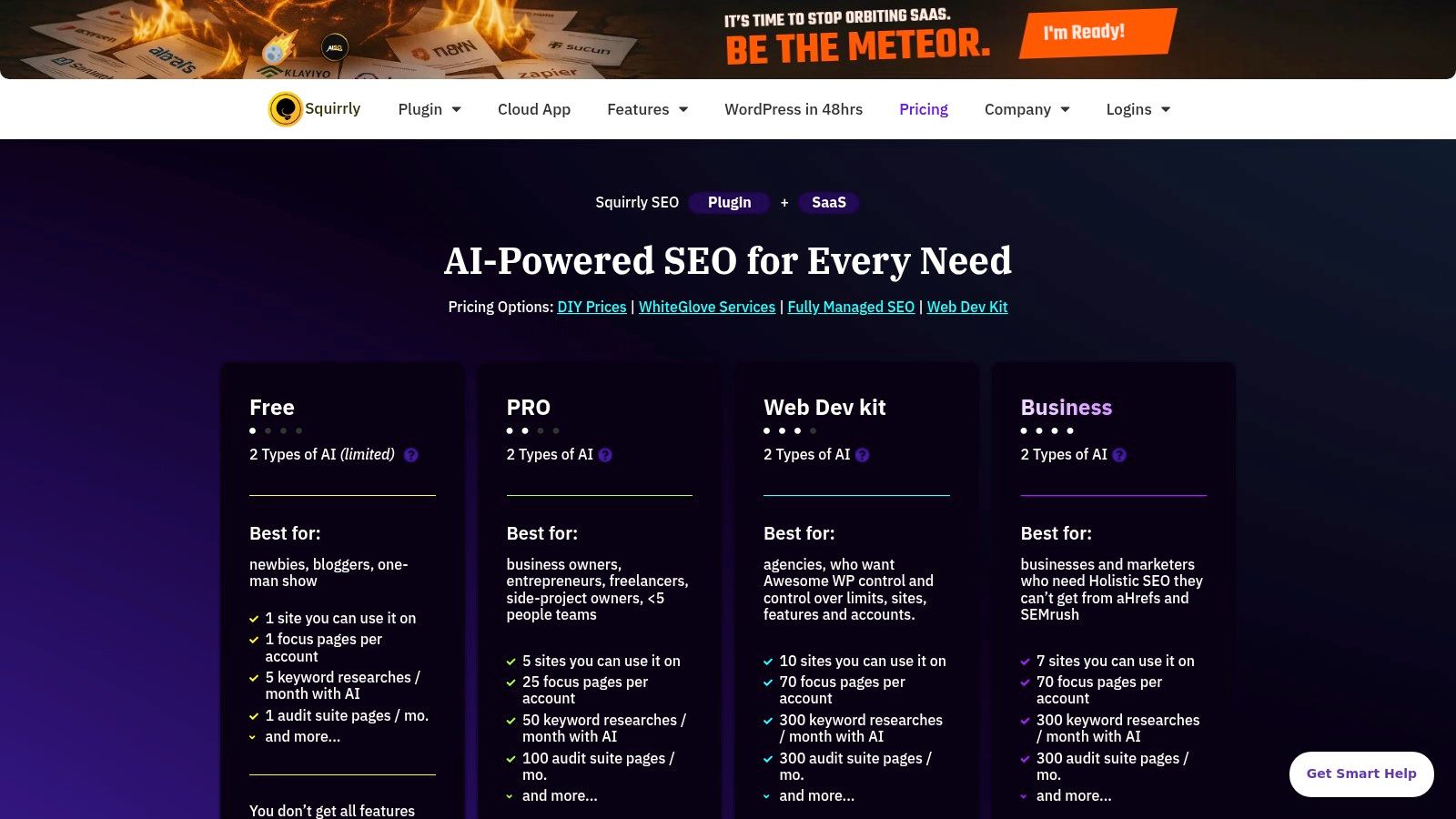
The platform’s core strength is its "Focus Pages" feature, which helps you concentrate your efforts on your most important pages, providing step-by-step goals to improve their ranking. This system is great for small business owners in places like Kelowna who want a clear, gamified roadmap to follow. The hybrid model, combining a WordPress plugin with a SaaS cloud service, also means you can monitor multiple sites (even non-WordPress ones) from one central hub, which is a major plus for anyone managing a few different web properties.
Key Considerations
-
Access & Cost: A free version with limited features is available. Premium plans are subscription-based, with costs tied to the number of focus pages, keyword lookups, and audit features you need.
-
Pros: Excellent for learning SEO as you go, with strong educational features built directly into the workflow. The cloud-based model is a fantastic advantage for users managing multiple websites.
-
Cons: The interface can feel a bit busy compared to more minimalist plugins. The credit-based system for certain features (like SERP lookups) in its subscription plans can feel restrictive if you’re a heavy user.
8. WPMU DEV – SmartCrawl Pro (official product page)
For agencies or businesses managing multiple websites, the WPMU DEV ecosystem offers a different approach. Instead of buying individual plugins, you get a full suite of tools, and SmartCrawl Pro is their powerful SEO contender. It’s not just a standalone plugin; it’s part of a complete WordPress management solution that includes performance, security, and backups, all controlled from a central hub. This integrated setup is a huge time-saver for anyone juggling more than one project.
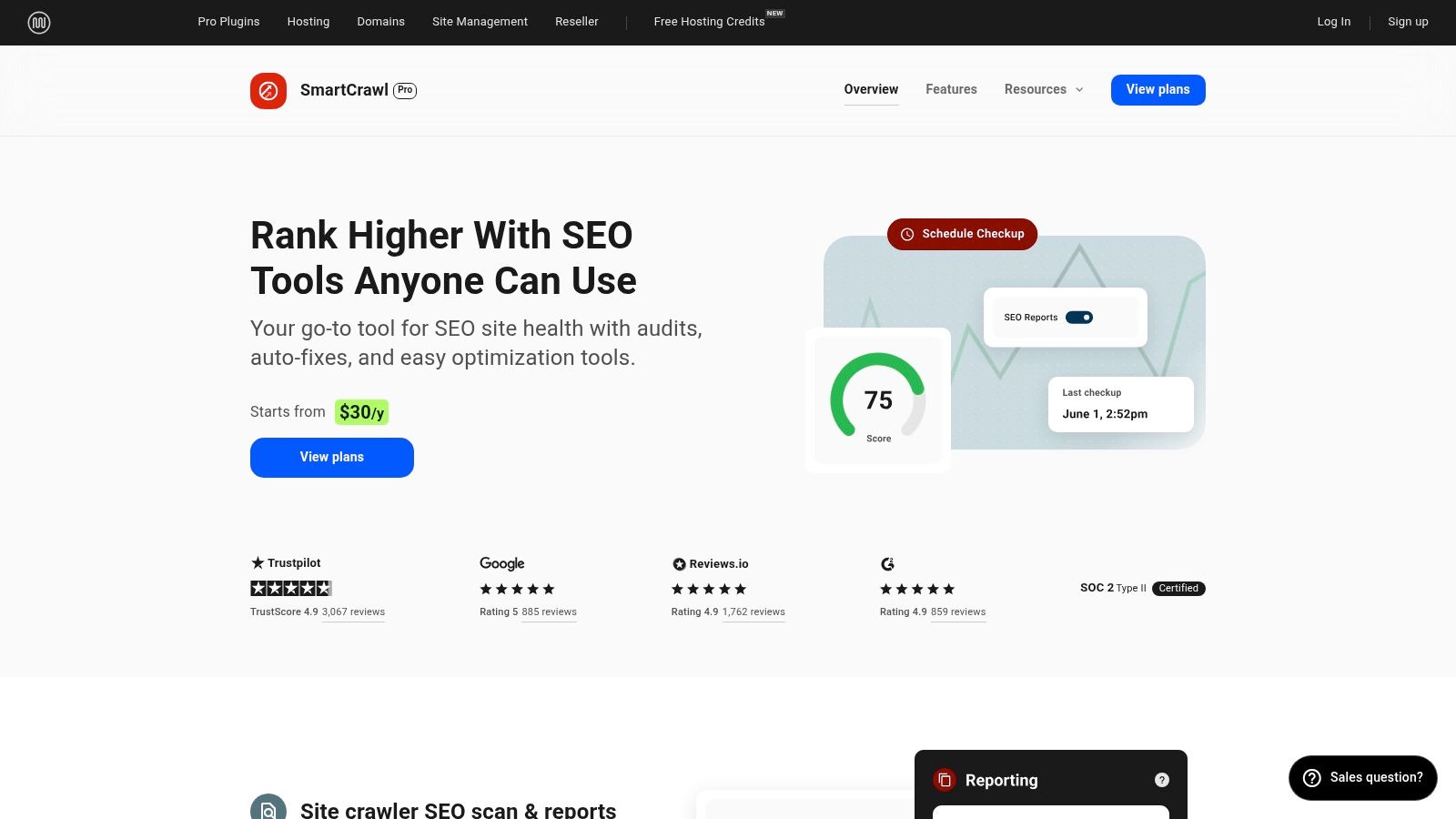
SmartCrawl delivers all the essential SEO features you’d expect, like a robust schema builder, automated internal linking, and detailed SEO audits right in your dashboard. What makes it one of the best WordPress plugins for SEO for agencies is its Hub reporting. You can run scans, generate reports, and even white-label them for your clients without ever leaving the WPMU DEV dashboard. It's built for efficiency at scale.
Key Considerations
-
Access & Cost: Requires a WPMU DEV membership, which starts at around $32.50/month (USD) and includes access to all their pro plugins and services.
-
Pros: It’s an all-in-one solution. You get SEO, image optimization (Smush Pro), and caching (Hummingbird Pro) bundled together. The centralized, multi-site management is fantastic for developers and agencies.
-
Cons: The membership model can be more expensive if you only need an SEO plugin. The suite might feel a bit heavy if you prefer lightweight, single-purpose tools.
9. CodeCanyon (Envato Market) – WordPress SEO Plugins category
Sometimes the big all-in-one SEO suites don't quite cover a specific, niche function you need. That's where a marketplace like CodeCanyon comes in. Think of it less as a single plugin and more as a massive digital warehouse for premium, specialized tools. It's the place you go when you're looking for that one specific add-on, like a unique schema generator for a Kelowna real estate site or a specialized WooCommerce SEO extension that the mainstream options don't offer.
Unlike the official directory, nearly everything here comes with a price tag, but it's typically a one-off purchase that includes a set period of author support and updates. The key to success on CodeCanyon is doing your homework. You can see public sales counts, read buyer reviews, and check when a plugin was last updated. This transparency is crucial for finding high-quality tools and avoiding abandoned projects. It’s a fantastic resource for finding some of the best WordPress plugins for SEO that solve very particular problems.
Key Considerations
-
Access & Cost: Paid. Plugins are sold as one-time purchases, which usually include 6-12 months of developer support and updates.
-
Pros: It’s an excellent source for finding niche or single-purpose SEO plugins that fill gaps left by larger tools. You can often find highly specialized add-ons for things like local business schema or advanced image SEO.
-
Cons: Quality is highly variable and depends entirely on the individual author. You must carefully vet each plugin’s reviews, update history, and support comments before buying.
10. Slim SEO (official site)
Sometimes, the big all-in-one SEO suites feel like a bit much, especially when you're just starting out or managing a smaller website. That's where Slim SEO comes in. It's built on a "set it and forget it" philosophy, aiming to be a fast, automated, and minimalist solution. It quietly handles all the essential technical SEO tasks in the background without needing you to configure dozens of settings.
This lightweight plugin automatically generates meta tags, schema markup, XML sitemaps, breadcrumbs, and even handles basic redirections. You just install it, and it starts working. The goal is to provide a solid SEO foundation with zero configuration, making it one of the best WordPress plugins for SEO if you value simplicity and speed. For those needing a bit more power, there's an optional Pro upgrade that adds tools like a visual schema builder and an internal link-building assistant, which you can explore on the official Slim SEO website.
Key Considerations
-
Access & Cost: The core plugin is completely free. The Pro version with advanced features requires a paid subscription, available on their website.
-
Pros: It’s incredibly lightweight and fast, with almost no setup required. The free version provides a very capable set of core SEO features, perfect for clients or small business owners in the Okanagan who want simplicity.
-
Cons: It lacks the comprehensive on-page analysis and advanced features found in larger suites like Yoast or Rank Math. Evaluating the Pro version's pricing and features requires leaving the WordPress dashboard.
11. Ahrefs (WordPress plugin page + Ahrefs Webmaster Tools)
Sometimes, the best WordPress plugins for SEO aren’t plugins at all, but powerful external tools that give your on-site efforts direction. Ahrefs is a perfect example. While its dedicated WordPress SEO plugin is being retired, the platform remains an absolute powerhouse for off-site SEO research and technical audits. It provides some of the most comprehensive backlink and keyword data on the planet, helping you understand your competitive landscape and find opportunities that on-page plugins can't see.

The secret weapon for website owners is Ahrefs Webmaster Tools (AWT). It's a free service that lets you connect your website and run a comprehensive site audit, uncovering technical issues like broken links, slow pages, or missing meta tags. It also gives you a peek into its renowned keyword and backlink data for your own domain. You can use insights from AWT to guide the changes you make with your primary on-site SEO plugin like Yoast or Rank Math, creating a powerful one-two punch for your strategy.
Key Considerations
-
Access & Cost: Ahrefs Webmaster Tools is free for verified site owners. The full suite of Ahrefs tools is a premium subscription service, starting at around $129 CAD per month.
-
Pros: The depth of its backlink and competitor analysis data is industry-leading. AWT offers a generous free toolset that perfectly complements any on-site SEO plugin by providing a clear technical roadmap.
-
Cons: The official WordPress plugin has been deprecated, which may cause confusion. The cost of the full Ahrefs platform can be a significant investment for small businesses or solo entrepreneurs.
12. Schema Pro (by Brainstorm Force) (official site)
While all-in-one SEO suites handle basic structured data, sometimes you need to go deeper to truly stand out in search results. Schema Pro is a dedicated, premium plugin built to automate sophisticated schema markup. It’s one of the best WordPress plugins for SEO when your goal is to feed search engines highly specific information about your content, like recipes, products, or local business details, helping you earn those eye-catching rich snippets.

This tool automates the creation of JSON-LD markup, which is Google’s preferred format. You can map schema properties to your existing custom fields (like ACF) and set display rules to apply specific schema types across your entire site with just a few clicks. If you're new to this concept, you can get a better handle on things by exploring what schema markup is and how it gives search engines context about your pages. Schema Pro simplifies a complex technical task, making it accessible even if you aren't a developer.
Key Considerations
-
Access & Cost: Premium plugin sold on the developer's website. Plans typically offer usage on unlimited websites, but always verify the current pricing and terms.
-
Pros: Highly focused on doing one thing exceptionally well: schema markup. It supports over 20 advanced schema types and integrates smoothly with other plugins.
-
Cons: Its features can overlap with the schema modules in major SEO plugins like Rank Math or SEOPress, so make sure you actually need its advanced capabilities before you buy.
Top 12 WordPress SEO Plugins — Side-by-Side Comparison
| Item | Core features | Best for | Key advantages | Pricing / Licensing |
|---|---|---|---|---|
| WordPress.org Plugin Directory (SEO category) | Official repo listings, one‑click install, reviews, changelogs | Discovering & vetting SEO plugins, site admins | Trusted source, usage stats, compatibility info | Free (directory); plugin pricing varies |
| Yoast SEO (official site) | On‑page & readability analysis, schema, sitemaps, technical SEO | Content editors, SMBs, agencies needing guidance | Extensive docs & courses, strong schema tools, long track record | Freemium; Premium per‑site license |
| Rank Math (official site) | Schema builder, rank tracking, analytics, automated sitemaps | Power users, agencies, multisite installs | Generous free feature set, fast UI, scalable tiers | Free + PRO tiers (agency plans) |
| All in One SEO (AIOSEO) (official site) | TruSEO scoring, schema, local/WooCommerce modules, redirects | SMBs, e‑commerce, agencies wanting clear guidance | Easy onboarding, helpful wizard, clear tiering | Paid annual plans with per‑site limits |
| SEOPress (official site) | Schema types, site audits, OpenAI integration, white‑label | Agencies, multi‑site, budget‑conscious teams | Competitive pricing, unlimited‑sites option, clean UX | Free + PRO (unlimited sites option on PRO) |
| The SEO Framework (official site) | Lightweight automated meta, Extension Manager, no ads | Developers, privacy‑focused and performance sites | Very lightweight, developer‑friendly, affordable multisite | Free core; paid extensions/bundles |
| Squirrly SEO (official site) | AI content tools, Focus Pages, audits, rank tracking, Cloud | Content teams, educators, multi‑platform sites | Built‑in education, Cloud+plugin model, audits | SaaS plans with credit limits; paid tiers |
| WPMU DEV – SmartCrawl Pro (product page) | Titles/meta, schema, sitemaps, auto internal linking, Hub | Agencies needing centralized management & reporting | Bundled with pro plugin suite, white‑label reports | Membership subscription (includes plugins) |
| CodeCanyon – WP SEO Plugins category | Marketplace of niche plugins, demos, author stats | Developers seeking specialized or one‑off add‑ons | Large variety, one‑off purchases, filterable listings | One‑off purchases (varied pricing & limited support) |
| Slim SEO (official site) | Zero/low‑config meta, schema, sitemaps, breadcrumbs, redirects | Small sites, clients wanting minimal setup | Minimal setup, fast/lean, free basics | Free + Pro upgrade available |
| Ahrefs (AWT + site) | Ahrefs Webmaster Tools (audits), backlink & keyword data, guides | SEO professionals, competitive research teams | Industry‑leading data depth, free AWT for verified sites | AWT free; paid Ahrefs plans (can be costly) |
| Schema Pro (by Brainstorm Force) | Automated JSON‑LD for 20+ schema types, ACF mapping, rules | Sites needing advanced structured data & rich results | Focused, reliable schema markup, advanced types support | Paid plugin (single product licensing) |
So, What's the Next Step?
Whew, that was a lot. We’ve journeyed through the huge world of WordPress SEO plugins, from all-in-one powerhouses like Rank Math and Yoast SEO to specialized tools like Schema Pro. It’s easy to see how quickly you can go down a rabbit hole trying to pick the perfect one.
The big takeaway? The best WordPress plugins for SEO are the ones that actually match your business needs, your budget, and your technical comfort level. A real estate agency in Kelowna has very different SEO needs than an e-commerce store selling Okanagan-made goods. You don’t need every single bell and whistle; you just need the right features, configured correctly, working hard for your business.
Making Your Decision: The Right Tool for the Job
So, how do you choose? Let’s boil it down to a few key questions to ask yourself:
-
What's my comfort level with tech? If you're new to SEO, a plugin with a user-friendly setup wizard like Yoast or AIOSEO is a great starting point. If you love diving into the details, something like SEOPress might give you the granular control you’re looking for.
-
What's my budget? Many of the best WordPress plugins for SEO have incredible free versions that are more than enough for a small business just starting out. Before you invest in a pro plan, make sure you'll actually use the premium features you're paying for.
-
What specific features do I really need? An e-commerce site will need robust WooCommerce SEO features. A local tourism blog in Penticton will benefit immensely from advanced local SEO and schema tools. Focus on your must-haves, not the nice-to-haves.
-
How will this impact my site's performance? A lightweight, clean-coded plugin like The SEO Framework or Slim SEO is fantastic for keeping your site zippy. Always remember that site speed is a huge part of the user experience and, by extension, your SEO success.
From Installation to Implementation
Once you’ve picked a plugin, the work has just begun. Proper setup is everything. This is where the magic really happens, turning a simple tool into a powerful engine for your online visibility.
Getting your sitemaps submitted correctly, ensuring your schema markup is accurate, and configuring your on-page analysis tools… these steps are what separate a website that just exists from one that actively attracts new customers from Google. It can feel a little overwhelming, and that’s completely okay. Technical SEO is a deep field, and it changes all the time.
If you’ve read through this guide and you're feeling more confused than when you started, take a deep breath. You’re not alone. It’s a sign that you understand just how important this stuff is. Sometimes, the best business decision is knowing when to hand a specialized task over to a trusted partner. That way, you can get back to doing what you do best: running your business.
Feeling like you'd rather have an expert team in your corner to handle the technical heavy lifting? That’s what we’re here for at Navigator Multimedia. We can help turn your website into your hardest-working salesperson, ensuring it’s not just beautiful but also built to be found. Let's have a chat and see what that could look like for your business.