How to Create a Sitemap and Finally Get Google’s Attention
Ever feel like your fantastic local business is a hidden gem that Google just can't seem to find? It's a huge frustration for so many business owners we talk to here in Kelowna and across the Okanagan. You’ve poured your heart into a beautiful website, but getting it in front of the right people can feel like shouting into the void.
Well, this is where a sitemap comes in.
Think of it as a friendly, detailed map you hand-deliver directly to search engines. It's a simple little file that lists all your important pages, showing them exactly where everything is—from your main services page to that brand-new blog post you just published.
By giving Google this clear roadmap, you make sure none of your valuable content gets missed. It helps them understand your site’s structure and importance, which leads to better and faster indexing. And that means more Okanagan customers can find you online. It's a tiny file that plays a massive role in your website's health and visibility.
The Two Flavours of Sitemaps
You'll bump into a couple of different sitemap types, and knowing the difference is key. They both have a purpose, but they're built for very different audiences.
XML Sitemaps: These are purely for search engine crawlers (like Googlebot). Written in a machine-readable format, they provide a clean, organized list of every single page you want indexed. This is the one that really moves the needle for your SEO.
HTML Sitemaps: These are made for your human visitors. You've probably seen them linked in a website's footer—they look like a table of contents, helping people navigate and find what they’re looking for. While great for user experience, the XML sitemap does the heavy lifting for your search rankings.
A solid sitemap is a cornerstone of good technical SEO. For a deeper dive into this topic, check out our complete guide to technical SEO.
A sitemap doesn’t just tell search engines what pages exist; it tells them which pages you consider most important and how recently they’ve been updated.
XML vs HTML Sitemaps What Is the Difference
Here’s a quick look at the two main types of sitemaps and who they are for.
| Feature | XML Sitemap | HTML Sitemap |
|---|---|---|
| Audience | Search engine crawlers (bots) | Human visitors |
| Purpose | Improve indexing efficiency and speed | Enhance user navigation and experience |
| Format | Machine-readable XML code | Standard HTML page with clickable links |
| Location | Submitted via Google Search Console; linked in robots.txt | Typically linked in the website's footer |
| SEO Impact | High. Directly influences how search engines find and rank your content. | Low. Indirectly helps SEO through better user engagement. |
| Best For | Every website looking to improve its search visibility. | Large, complex websites where users might get lost. |
While both have their place, your XML sitemap is the non-negotiable one for getting found on Google. The HTML sitemap is a nice-to-have that improves the journey for people already on your site.
Creating Your XML Sitemap with Automated Tools
Let's be honest, manually creating an XML sitemap sounds about as appealing as a trip to the dentist. The good news is, you almost never have to do it by hand. For most businesses, the smartest and fastest route is to let a specialized tool do all the heavy lifting.
This is all about working smarter, not harder. You’ve got a business to run; you don’t have time to get bogged down in code. Using an automated tool or a plugin is by far the simplest way to give Google the clear roadmap it needs to understand your website.
This flow chart gives you a quick visual of how a sitemap acts as a bridge between your website's content and the search engines trying to make sense of it all.
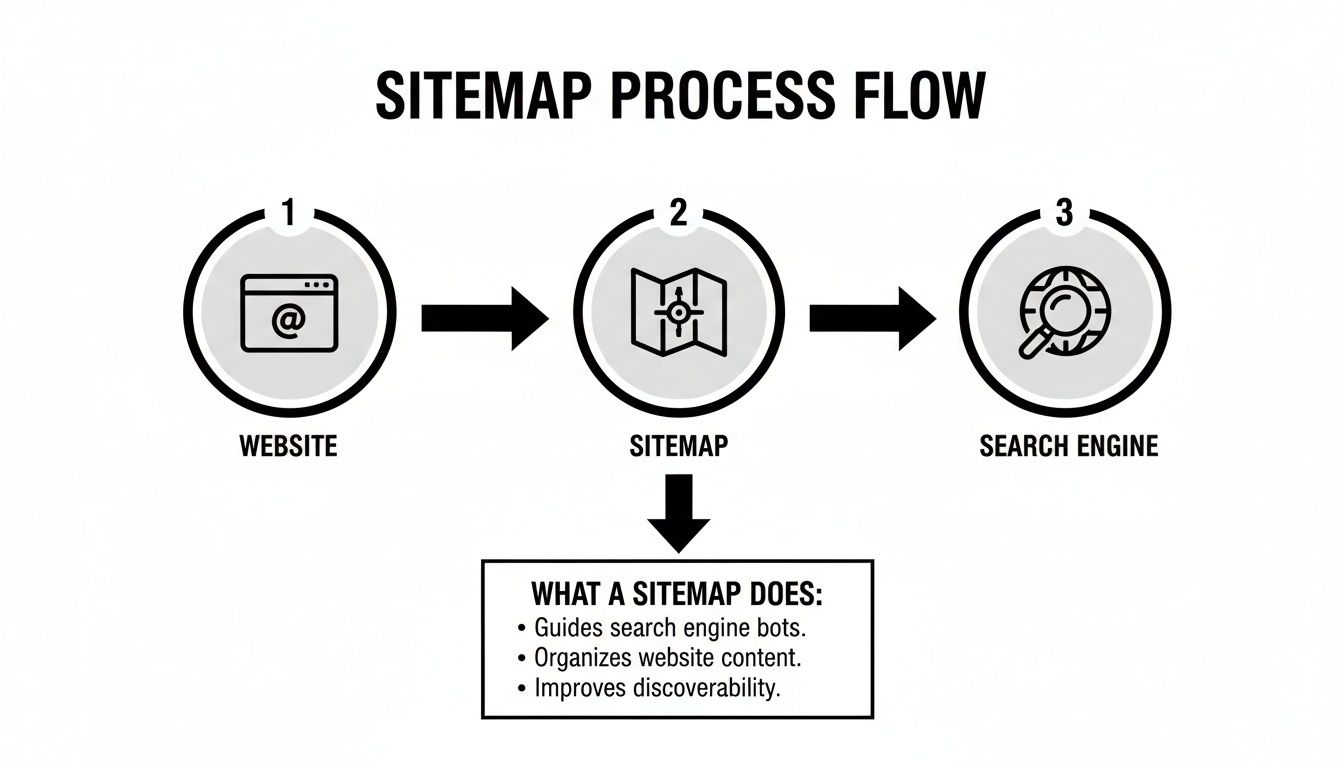
As you can see, the sitemap is that crucial go-between, organizing your site's information into a format Google can read and process efficiently.
For WordPress Websites: The Plugin Approach
If your website is built on WordPress, you're in luck. This is where plugins become your absolute best friend.
SEO plugins like Yoast SEO or Rank Math are genuine powerhouses. Once you install and activate one, it automatically generates and maintains a sitemap for you. It's a true "set it and forget it" solution that updates every single time you add a new page or publish a blog post. No fuss, no code.
Pro Tip From Experience: With a plugin like Yoast, you can fine-tune what goes into your sitemap. For instance, you’ll probably want your main service pages and blog posts included, but you might want to exclude less important "tag" archives to keep things clean. This gives you a great level of control without any of the manual grunt work.
There are a lot of plugins out there, and choosing the right one can be a bit overwhelming. To give you a head start, we've compiled a list of the best WordPress plugins for SEO that we often recommend.
For Shopify Stores: It’s Even Easier
For those of you running e-commerce stores on Shopify, it's even more straightforward. Shopify is built with business owners in mind, and this is a prime example.
Your store automatically generates a sitemap.xml file right out of the box. You don't have to install anything or tick any boxes. This sitemap includes all your products, product images, collections, pages, and blog posts, and it's always kept up-to-date.
To find it, just add /sitemap.xml to the end of your store’s domain. It will look like this: your-awesome-store.com/sitemap.xml. That's the exact link you'll need later when you submit it to Google. It really couldn't be simpler.
Using Online Sitemap Generators
What if you aren't using WordPress or Shopify? No problem at all. There are plenty of excellent online sitemap generators that can whip one up for you in minutes.
These web-based tools work by "crawling" your website much like a search engine bot does. They start at your homepage and follow every internal link to map out your site's entire structure.
The process is pretty standard across most generators:
Find a tool: A quick search for "XML sitemap generator" will bring up several free and paid options. XML-Sitemaps.com is a popular free choice.
Enter your URL: Simply paste your website's full address into the tool.
Start the crawl: Kick off the process and let it run. For most small-to-medium sites, this only takes a few minutes.
Download the file: Once finished, the tool provides a
sitemap.xmlfile for you to download. You’ll then need to upload this file to the main folder of your website's server, often called the root directory.
This approach is a fantastic middle ground if a plugin isn't an option. You get a perfectly formatted sitemap without needing any specific platform or technical expertise, ensuring search engines can find all of your important content.
How to Build a Sitemap Manually for Full Control
So, plugins and automated tools are fantastic, no doubt. But what if you're the type who likes to get under the bonnet? Or maybe you're running a smaller, custom-built website that doesn't use a big platform like WordPress.
This is where creating a sitemap by hand comes in. It’s not as scary as it sounds, I promise. Think of it as hand-drawing your own treasure map instead of printing one off the internet. It takes a little more effort, but you get precise, granular control over every single detail.
This approach is perfect if you want to be absolutely certain that search engines are seeing exactly what you want them to see—and nothing more. You get to be the director, telling Google which pages are the stars of the show.

The Basic Building Blocks of an XML Sitemap
Before diving in, it helps to understand what the different pieces of the puzzle actually mean. An XML sitemap is just a text file with specific "tags" that feed information to search engines. Don't let the code fool you; it's pretty straightforward once you see it broken down.
Here are the main tags you’ll be working with:
<url>: This is the container for all the information about a single page. Every URL you want to include gets its own<url>section.<loc>: Short for "location," this is the most critical tag. It’s where you put the full, direct URL of the page.<lastmod>: This tells search engines the date you last updated the page's content. It’s helpful for crawlers to see what's fresh, but it's not strictly required.<priority>: This is your way of signalling to Google which pages you consider most important, on a scale from 0.0 to 1.0. Your homepage might be a 1.0, while a blog post could be a 0.7.
These tags work together to create a neat, organized list that Google can read in a snap.
A Simple Sitemap Code Example
Let's put those tags into action. Imagine you have a small website for your Penticton-based business with a homepage, an about page, and a contact page.
Your manual sitemap would look something like this. You can literally copy this structure and just swap in your own details.
<?xml version="1.0" encoding="UTF-8"?>
<urlset xmlns="http://www.sitemaps.org/schemas/sitemap/0.9">
  <url>
    <loc>https://www.yourpentictonbusiness.ca/</loc>
    <lastmod>2024-08-01</lastmod>
    <priority>1.0</priority>
  </url>
  <url>
    <loc>https://www.yourpentictonbusiness.ca/about-us</loc>
    <lastmod>2024-07-25</lastmod>
    <priority>0.8</priority>
  </url>
  <url>
    <loc>https://www.yourpentictonbusiness.ca/contact</loc>
    <lastmod>2024-06-15</lastmod>
    <priority>0.5</priority>
  </url>
</urlset>
See? It’s just a repeating pattern. You create a new <url> block for each page, fill in the <loc>, and add the other optional tags. Once you're finished, you save this file as sitemap.xml.
One of the biggest benefits of a manual sitemap is intentionally leaving certain pages out. Think "thank you" pages after a form submission or old, unimportant blog posts. This keeps your sitemap clean and focused only on the content you want to rank.
Best Practices for Manual Creation
When you’re building your sitemap by hand, there are a few simple rules to follow to keep things running smoothly and avoid errors. It's like following a recipe—get the basics right, and the result will be perfect.
Use Full URLs: Always, always include the full URL, starting with
https://. Don't use relative links like/about-us. Search engines need the complete address.Keep It Under the Limit: Sitemaps have size constraints. They can’t contain more than 50,000 URLs or be larger than 50MB. If your site is bigger than that (which is rare for a small business), you'll need to create multiple sitemaps and link them from a sitemap index file.
Be Honest with
<priority>: It can be tempting to mark every page as a 1.0 priority. Resist that urge! Use it to show the real hierarchy of your site. This helps search engines understand what content is most valuable to your visitors.Update It When You Make Changes: This is the most important part of manual management. When you add a new service page or update your contact information, remember to update the entry in your
sitemap.xmlfile.
Building a sitemap manually puts you in complete control. It's a bit more hands-on, but for a smaller site, it’s a fantastic way to ensure your SEO foundation is rock solid. If it ever feels like too much to manage, remember that getting some expert help is always an option to make sure it’s done right. You can always reach out to us to chat about your site.
Submitting Your Sitemap to Google and Bing
Alright, you've built your sitemap. Now what? You have to actually hand it over to the search engines. A sitemap can't do its job just sitting on your server; you need to tell Google and Bing where to find it. This is the crucial final step that so many people miss.
Getting this right helps your content get discovered and indexed faster, which is the entire point of this exercise. Think of it as sending a direct invitation to the search engine bots, saying, "Hey, all my best stuff is right over here!"
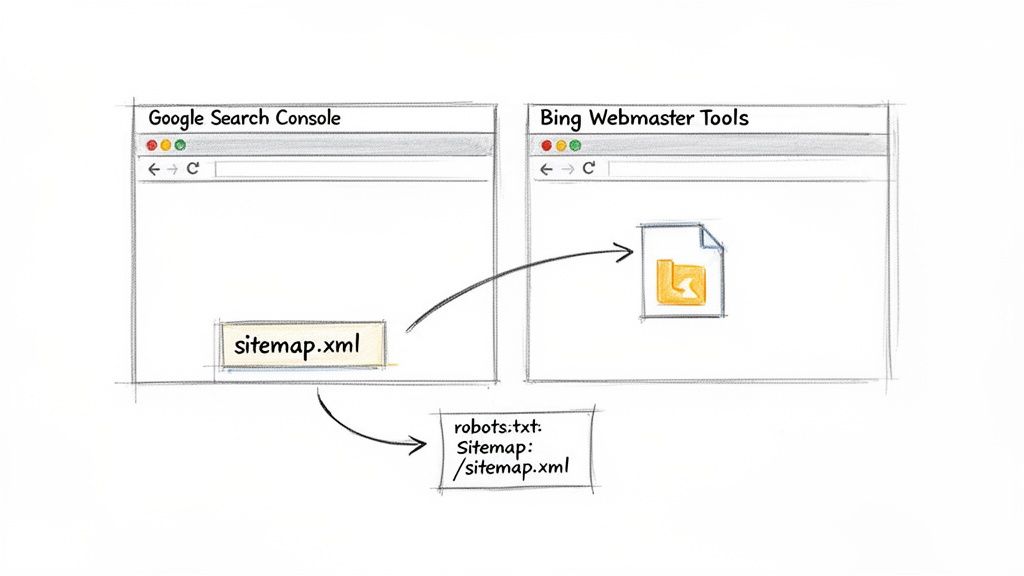
This simple action closes the loop, connecting your website's structure directly to the platforms that determine your visibility.
The Power of robots.txt
Before we dive into the search consoles, let's talk about a small but mighty file: robots.txt. This file sits in your website's main directory and acts as a welcome mat for search engine crawlers, giving them instructions on what they can and can't look at.
You can also use this file to point them directly to your sitemap. It’s incredibly easy.
Just add this one single line to your robots.txt file, making sure to replace the example with your actual sitemap URL:
Sitemap: https://www.your-okanagan-site.ca/sitemap.xml
By adding this line, one of the first things a search engine crawler sees when it visits your site is the exact location of your sitemap. It’s an efficient, direct way to get things started.
Submitting to Google Search Console
Google Search Console is an essential, free tool that every website owner should be using. It’s your direct line of communication with Google, offering insights into your site’s performance and health.
Once you’re set up and your site is verified, submitting your sitemap is a breeze. If you're new to the platform, we have a helpful guide on how to get started with Google Webmaster Tools (as it used to be called).
Here’s the process:
Log in to Google Search Console and head to your dashboard.
Select 'Sitemaps' on the left menu, under the 'Indexing' section.
Add your sitemap URL. In the "Add a new sitemap" box, you just need to type the end part of the URL (e.g., sitemap.xml or sitemap_index.xml). Google already knows your domain.
Click 'Submit'—and that’s it! Google will schedule your sitemap for a crawl.
You’ll see a "Success" message if everything is formatted correctly. Over the next few days, you can check back here to see how many of your pages Google has discovered and indexed.
Don’t worry if the status says "Couldn't fetch" for a little while after you submit. It can take some time for Google to get around to crawling it. Give it a day or two before you start troubleshooting.
Submitting to Bing Webmaster Tools
Bing might not have Google’s market share, but it still drives a significant amount of traffic. Submitting your sitemap there is just as important, and thankfully, the process is very similar.
Bing Webmaster Tools is their version of Search Console, and it’s also packed with useful data.
Here’s how to get it done:
Sign in to Bing Webmaster Tools and navigate to your site's dashboard.
Go to the 'Sitemaps' section, which you'll find in the main navigation.
Click the 'Submit Sitemap' button to open the submission box.
Enter your full sitemap URL. Unlike Google, Bing asks for the complete URL, so paste in
https://www.your-site.ca/sitemap.xml.Hit 'Submit', and you're all set.
Taking these few extra minutes to submit your sitemap to both major search engines ensures you're covering all your bases. You’ve done the work to create a great website; this final step makes sure the world can find it. If you hit any snags or just want a partner to handle this for you, we're always here to help you out.
Keeping Your Sitemap Fresh and Error-Free
Think of your website like a garden. You don't just plant it and walk away, right? You have to water it, pull weeds, and trim things back. Your sitemap needs that same kind of regular attention to stay healthy and do its job properly.
A website for a growing business is never static. You add a new service, publish a killer blog post, or maybe you update your Penticton real estate listings. Every time you make a change, your sitemap should reflect it. An up-to-date sitemap essentially tells Google, "Hey, I've got new stuff for you to see!"
Automation Is Your Best Friend
Thankfully, keeping things updated is usually a hands-off job. If you’re using a WordPress site with an SEO plugin like Yoast or Rank Math, this is a true ‘set it and forget it’ situation.
These tools are smart. They automatically regenerate your sitemap whenever you:
Publish a new blog post or page.
Update an existing piece of content.
Delete a page from your site.
It all just happens in the background, pinging search engines to let them know something has changed. This is the kind of simple automation that lets you focus on your business instead of fussing with website files.
Spotting and Fixing Sitemap Errors
Even with automation, things can sometimes get a little tangled. This is where Google Search Console becomes your most important diagnostic tool. It will flag any problems it finds with your sitemap, so it’s a good habit to check in on it every now and then.
Don't panic if you see an error warning! It’s usually a simple fix. Google is just giving you a friendly heads-up that something needs a quick look.
Here are a few of the most common issues you might run into:
Blocked URLs: This often happens when a page listed in your sitemap is also being blocked by your
robots.txtfile. You’re sending mixed signals—inviting Google to crawl a page while also telling it to stay away. The fix is to either remove the URL from the sitemap or remove the block from yourrobots.txtfile.Formatting Mistakes: If you built your sitemap by hand, a tiny typo like a missing bracket or an incorrect tag can cause the whole file to fail. You'll need to carefully review the file against the correct XML format to spot the mistake.
Redirected Pages: Sometimes a page in your sitemap is set to redirect somewhere else. Your sitemap should only ever list the final, destination URLs—the ones that return a
200 OKstatus code. Just update the sitemap with the correct final URL.
A healthy, up-to-date sitemap is a strong signal to search engines that your website is well-maintained and a credible source of information. It’s a small detail that contributes to the bigger picture of your site's authority.
The Real Impact of Maintenance
Keeping your sitemap clean isn’t just about avoiding error messages. Based on our experience working with businesses across Canada, we see a clear connection between regular sitemap maintenance and faster indexing of new content. The true measure of success comes from hands-on monitoring within tools like Google Search Console, which is a core part of our process at Navigator Multimedia. It shows just how crucial accurate digital roadmaps are, a point you can see reflected in wider initiatives like Microsoft's Canadian mapping data project.
Sitemap maintenance might feel like a minor task, but it’s a foundational piece of good technical SEO. It ensures search engines always have an accurate blueprint of your site, helping your content get seen by the right people, faster. If you’re ever staring at an error message in Search Console and feel stuck, that’s the perfect time to get in touch with a partner who can sort it out for you.
Your Top Sitemap Questions, Answered
You've got questions, and we've got answers. After walking so many Okanagan business owners through this process, we've heard it all. Let's tackle some of the most common things people ask when it comes to creating and managing their sitemaps.
It’s completely normal to feel a bit lost in the technical details. Getting your website’s foundation right can seem daunting, but a little clarity goes a long way. Let's clear up some of the most frequent points of confusion.
How Often Should I Update My Sitemap?
That's a great question, and the honest answer is: it depends entirely on how often your website changes.
If you're a Vernon blogger adding new posts every single week, your sitemap should update just as often to keep pace. On the other hand, if your site’s content is mostly static—maybe a simple brochure site for your services—updating it every few months is perfectly fine.
The good news is that most modern SEO plugins for WordPress handle this automatically. They "ping" search engines whenever you publish new content, so you don’t have to think about it. The main goal is to make sure your sitemap always mirrors what's live on your site.
Does a Sitemap Guarantee a Number One Ranking on Google?
Ah, the million-dollar question! The short and sweet answer is no. A sitemap is a critical tool for your technical SEO, but it's just one piece of a much larger puzzle.
Its primary job is to help Google find and understand all your pages efficiently, which boosts your chances of getting everything indexed properly. Actually ranking on the first page depends on many other factors, like the quality of your content, your site's speed, and who is linking back to you.
Think of it this way: your sitemap makes sure your business is on the map. Ranking well is about being the best destination on that map.
My Sitemap Has Errors in Google Search Console. What Should I Do?
First off, don't panic! It's actually a good thing that you're checking Search Console. This tool is your best friend here, and it’s just pointing out something that needs a little attention. Seeing an error isn't a catastrophe; it's an opportunity to fix a small problem before it becomes a big one.
Common errors include:
URLs that are blocked by your
robots.txtfilePages that redirect somewhere else
Simple formatting mistakes in the code
The report Google provides will usually tell you exactly which URLs are causing the problem. Just work through them one by one to correct the issue. If you get stuck, that’s a perfect time to reach out for some expert help to get things sorted out quickly.
Can I Include Images and Videos in My Sitemap?
Yes, you absolutely can, and it's a very smart move! You can create separate, specialized sitemaps just for your video and image content. This gives Google much more context about the rich media on your site, which can help it appear in Google's dedicated video and image search results.
This is a huge advantage for certain businesses. For a tourism operator in the Okanagan, for example, an image sitemap featuring all your beautiful scenic photos can drive a lot of relevant traffic. Most comprehensive SEO plugins for WordPress can help generate these additional sitemaps for you.
If your website isn't pulling its weight and you're tired of trying to figure it all out on your own, let's talk. The team at Navigator Multimedia can help you turn your site into your best salesperson. Contact us today for a free website performance audit.