What is a 301 Redirect? A Guide for Business Owners
Think of a 301 redirect as a permanent change of address notice for your website. It’s like telling Canada Post you’ve moved for good, so all your mail (and in this case, website visitors and search engine love) automatically gets forwarded to your new spot.
So What Is a 301 Redirect Anyway?
Let’s say your favorite local shop in Kelowna moves to a better spot across town. When you show up at the old location, you'd hope to see a sign on the door, right? Something helpful like, “Hey! We’ve moved. You can now find us at our new address just down the road.”
That’s exactly what a 301 redirect does for a webpage. It’s a permanent instruction that tells web browsers and search engines like Google that a page has moved for good, seamlessly sending them to the new destination.

This little instruction is one of the most important tools for keeping a website healthy, especially when things change. Without it, anyone clicking an old link would hit a dead end—that dreaded “404 Page Not Found” error. That's a rough experience for your customers and a red flag for search engines.
Why 'Permanent' Matters So Much
The number "301" isn't just random; it's a specific HTTP status code that signals a permanent move. This is a big deal because it tells Google to transfer all the trust, authority, and ranking power from your old URL to the new one. It's the key to protecting the SEO progress you've worked so hard to build.
There used to be a myth that you’d lose a bit of your ranking power when using a 301 redirect. Thankfully, that's old news. Today, a properly set-up 301 redirect passes 100% of the link equity. Okanagan businesses can confidently update their sites without fear of losing their hard-won search rankings.
In short, a 301 redirect is your website’s friendly guide, making sure no one gets lost when you update, delete, or move your content.
For a business owner in Vernon or Penticton, this is essential when you:
-
Launch a completely redesigned website.
-
Change the URL of a blog post or service page.
-
Merge two similar pages into a single, more powerful one.
-
Switch your domain from HTTP to the more secure HTTPS.
Getting redirects right means a smooth, uninterrupted experience for your customers and keeps your relationship with Google on solid ground.
Understanding Different Redirect Types
The 301 is the most common redirect, but it has a few cousins used for different situations. Here’s a quick look at the permanent 301 redirect and its temporary friends.
| Redirect Type | What It Signals | Best Use Case |
|---|---|---|
| 301 | Moved Permanently | Site migrations, URL changes, switching to HTTPS, domain consolidation. |
| 302 | Found (Moved Temporarily) | A/B testing a page, redirecting users during site maintenance. |
| 307 | Temporary Redirect | Similar to a 302, but ensures the request method (e.g., POST) isn't changed. |
Choosing the right type is vital. For any change you plan to keep, the 301 is almost always the correct choice to protect your SEO value.
Why 301 Redirects Are Crucial for Your SEO
Okay, so we've covered what a 301 redirect is. But why should you, a busy business owner, actually care about this technical detail?
Simple: it’s one of the most powerful tools you have for protecting your search engine rankings. Think about all the time, effort, and money you've invested to get your website to show up on Google. A 301 redirect makes sure all that hard-earned SEO authority—the trust and value your pages have built over time—is transferred directly from an old URL to its new home.

Without a redirect, you’re basically telling Google you just deleted a valuable page. The new page has to start from scratch, fighting its way back up the rankings. It’s like moving your popular downtown shop to a new location and forgetting to leave a forwarding address. Your loyal customers are left lost and confused.
Protecting Your SEO Power
We saw this happen with a client right here in the Okanagan. They launched a beautiful website redesign, which was fantastic. But without a proper redirect strategy, it could have torpedoed their traffic overnight. By carefully mapping every old page to its new counterpart with a 301 redirect, we made sure the transition was seamless. Google immediately understood the move, and they didn't lose a single spot in the search results.
This is the kind of foundational work that keeps a website healthy and performing. If you want to dive deeper into these behind-the-scenes elements, feel free to check out our guide on what technical SEO is and why it's so important.
At its core, a 301 redirect protects your most valuable online assets:
-
User Experience: It keeps your visitors happy. Anyone who clicks an old link or uses a saved bookmark still lands exactly where they intended to go, avoiding frustrating "Page Not Found" errors.
-
Link Equity: Those valuable links from other websites pointing to your old pages? That's what we call "link equity," and it's like gold for SEO. Redirects make sure that value is passed along to your new pages instead of being lost.
-
Search Rankings: By giving Google clear directions, you maintain your hard-won position in search results, preventing any sudden drops in visibility.
The Real Cost of a Broken Link
Ignoring redirects can have a much bigger impact than you might think. For businesses in the Okanagan, where local search visibility can make or break you, losing your ranking power is a massive setback.
Industry studies consistently show that a properly implemented 301 redirect passes 90-99% of its ranking power. Skipping this critical step, on the other hand, can cause an immediate drop of 30-50% in organic traffic—a direct hit to your bottom line.
Ultimately, a 301 redirect is your way of telling Google and your customers, "Hey, we've moved, not disappeared." It's a small technical step with enormous consequences for your online success.
Common Scenarios for Using a 301 Redirect
So, when does a 301 redirect actually come into play? While the concept might sound technical, the reality is you’ll run into some very common situations where it becomes an essential tool for your website.
It’s a crucial move for anyone managing a website who wants to make sure it keeps performing well, especially when big changes are happening.
Launching a Brand New Website
This is probably the most common time you'll need one. You’ve finally launched that beautiful, modern website to replace the old one. It's an exciting moment, but what happens to all those old pages that Google and your customers already know?
Without 301 redirects, every link pointing to your old site—from search results, other websites, or old social media posts—will suddenly break. A potential customer in Penticton could click an old link and land on a "404 Page Not Found" error. That’s a lost opportunity. By setting up 301s, you tell browsers and search engines to automatically send anyone trying to visit an old page to its new, correct location.
Updating or Changing Your Domain Name
Maybe your business has rebranded, and you're moving from "Kelowna-Plumbing-Pros.ca" to the much cleaner "KPP.ca." It’s a smart branding decision, but it can be disastrous for your search rankings if you don’t handle it correctly.
A 301 redirect from the old domain to the new one acts as a permanent "change of address" form for the internet. This is vital for preserving the authority and trust you've built over the years. If you're thinking about making a switch or registering a new domain, building a redirect strategy should be one of your very first steps. It makes sure all the SEO value from your old domain gets passed on to the new one.
Tidying Up Your Website Content
Websites grow and change. Over the years, you might end up with duplicate content, outdated service pages, or messy URLs. Using 301 redirects is the perfect way to clean things up without losing traffic.
Here are a few cleanup jobs where 301s are a lifesaver:
-
Merging Pages: Let's say you have two decent blog posts on a similar topic. You can combine them into one fantastic, comprehensive guide and then redirect the URL of the weaker post to the new, stronger one.
-
Deleting a Service Page: If you stop offering a specific service, don't just delete the page and leave a broken link. Redirect that URL to your main services page or to the next most relevant offering.
-
Improving Your URLs: Maybe you rewrote a blog post with a more keyword-rich title, which in turn changed the URL. A simple 301 from the old URL to the new one makes sure you don't lose any of the link equity or traffic it had already earned.
Think of it like this: a 301 redirect is your way of spring cleaning your website without throwing out anything valuable. You’re simply reorganizing and making sure everything still has its proper place.
In every one of these cases, you're protecting the user's experience while clearly communicating changes to search engines. It's a small technical task, but it has a massive impact on keeping your SEO performance strong.
How to Implement a 301 Redirect Yourself
Alright, let’s get our hands dirty. This is the part that often feels a bit intimidating, but honestly, it’s usually simpler than it sounds. How you actually set up a 301 redirect really comes down to what your website is built on.
For many businesses, the solution is just a few clicks away. Let's walk through the most common methods so you can find the one that fits your setup.
For WordPress Websites
If your site runs on WordPress, you're in luck. The easiest way by far to manage redirects is with a dedicated plugin. There are plenty of options out there, but one of the most trusted and user-friendly is a plugin aptly named "Redirection".
The process is refreshingly simple:
-
From your WordPress dashboard, go to Plugins > Add New.
-
Search for “Redirection,” then click Install Now and Activate.
-
Once it's active, you’ll find its settings under Tools > Redirection.
-
In the "Add new redirection" section, just paste the old, broken URL into the Source URL field and the new, destination URL into the Target URL field.
-
Click Add Redirect, and that's it! The plugin handles all the technical wizardry behind the scenes.
Plugins like this are super popular for a reason. Redirection itself has over 2 million active installations, making it a go-to tool for website owners everywhere. A huge chunk of Okanagan small businesses use WordPress, so these plugins are essential for protecting search rankings when content gets updated. You can read more about popular redirect plugins to see which one might be best for you.
For Shopify Stores
Running an e-commerce store on Shopify? They’ve made this process incredibly easy. Shopify has a built-in redirect manager, so you don’t even need an extra app.
Here’s how you do it:
-
From your Shopify admin, go to Online Store > Navigation.
-
Near the top of the page, you'll see a link for URL Redirects. Click on it.
-
Click Add URL redirect.
-
In the Redirect from box, type the old URL you want to forward.
-
In the Redirect to box, type the new URL you want visitors to land on.
-
Hit Save redirect.
This simple tool is an absolute lifesaver when you're updating product pages, discontinuing items, or changing up your site's structure.
For the More Technical Folks (Apache & .htaccess)
If your website is hosted on a server running Apache (which many are), you can set up redirects by editing a file called .htaccess. A quick word of caution: this is a powerful system file. A tiny typo or misplaced character can take your entire site offline. If you're not comfortable with this, it's a good time to reach out for some expert help.
This simple flowchart shows how redirects come into play when you update, combine, or delete your content.
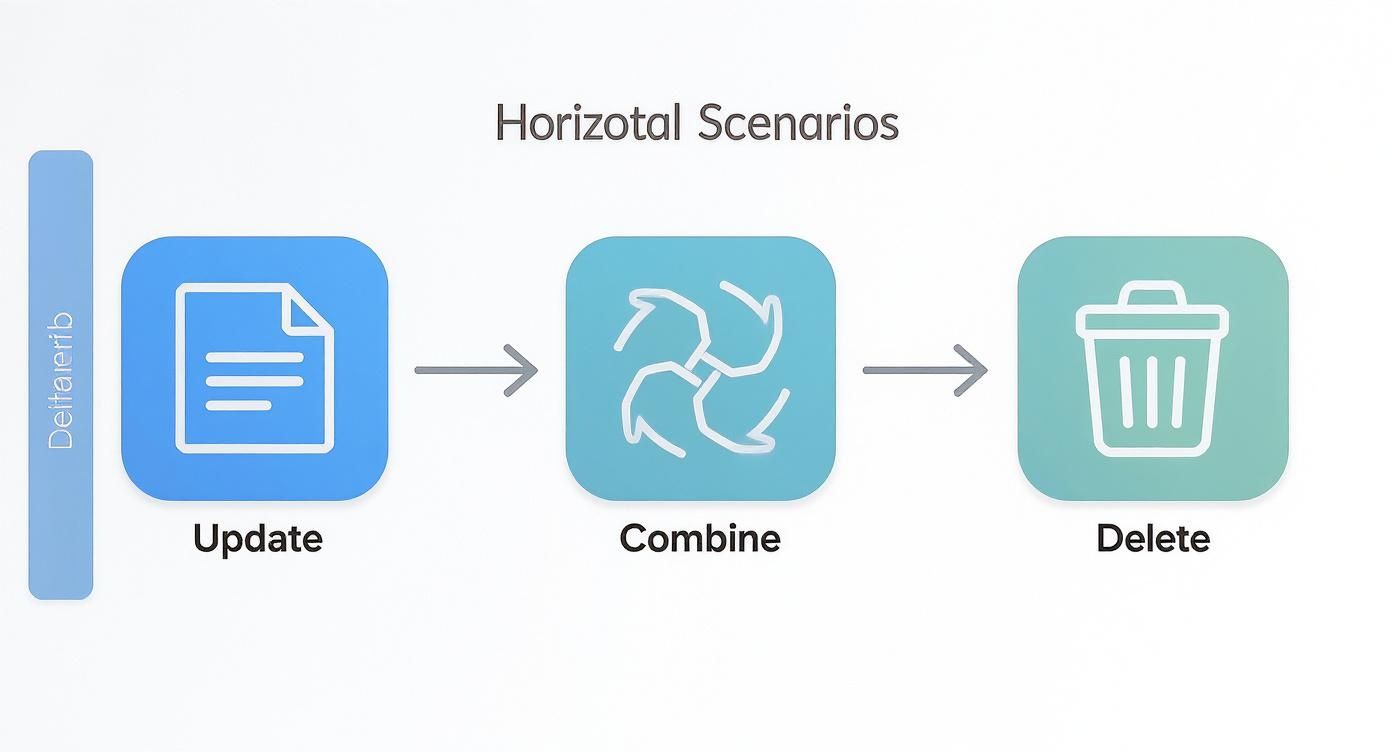
Each of these actions requires a redirect to guide users and search engines to the right place, ensuring everything keeps flowing smoothly.
Key Takeaway: No matter what platform you're on, there’s a way to implement 301 redirects. The trick is to choose the right method for your specific setup and to double-check your work to make sure it's done correctly.
Common Mistakes to Avoid When Redirecting
Setting up redirects is a powerful way to keep your website healthy, but a few common slip-ups can cause some serious headaches. It’s a bit like giving someone directions—get one step wrong, and they can end up completely lost.
One of the biggest blunders we see is creating a redirect chain. This happens when Page A redirects to Page B, which then redirects to Page C, and maybe even on to Page D. Each of those "hops" adds loading time and really muddies the waters for search engines. After a couple of jumps, Google might just give up following the chain, meaning your new page won't get the SEO credit it deserves.
Think of it like a flight itinerary. Your goal is to create a direct flight, not a journey with multiple layovers. The old URL should point straight to its final destination.
Redirecting to the Wrong Place
Another classic mistake is sending visitors to a page that has nothing to do with what they were looking for. Imagine a customer clicks a link for a specific product, and instead, they land on your generic homepage. It’s a frustrating dead end, right?
That's exactly what happens when a redirect isn’t specific enough. If you’re moving an old blog post about "Kelowna's Best Hiking Trails," don't just shunt people to your main blog feed. You need to send them to the new hiking trails post or, at the very least, a relevant category page like "Okanagan Outdoor Activities."
This seemingly small mistake snowballs into bigger problems:
-
Poor User Experience: Visitors get annoyed and are far more likely to leave your site.
-
Higher Bounce Rate: People bouncing immediately is a strong signal to Google that your page isn't helpful.
-
Lost SEO Value: Google is smart enough to see the mismatch and may decide not to pass along the full ranking power.
Forgetting to Test Your Redirects
You wouldn't launch a new product without testing it first, and the exact same principle applies to your redirects. It is surprisingly easy to make a tiny typo in a URL that creates a broken link, leading visitors to a 404 error page.
Thankfully, you don't have to click every single link by hand. There are plenty of free online tools, like a redirect checker, that let you pop in an old URL and see exactly where it goes. This simple check can save you from losing valuable traffic and frustrating potential customers. It only takes a few seconds and provides a huge amount of peace of mind.
We've seen businesses right here in the Okanagan launch a beautiful new site, only to watch their traffic plummet because of a few simple redirect errors. It’s an entirely preventable problem. If you’re ever unsure about the technical side of things, it’s always better to get a second opinion. Having an expert partner double-check your work is a small investment that protects your site's performance in the long run. When in doubt, it’s always best to reach out to a team that handles this every day.
Let an Expert Handle the Technical Details
Feeling a bit overwhelmed by all this? That’s completely normal. Let’s be honest, your job is to run your business in the Okanagan—not to get lost in the weeds of server settings and website code.
A simple question like "what is a 301 redirect?" can quickly spiral into a technical rabbit hole you just don't have time to explore. But getting redirects right is absolutely critical, whether you're overhauling your entire site or just tidying up some content. A small mistake can unfortunately set your search rankings back for months.
This is where having a partner really makes a difference.
At Navigator, we handle all the behind-the-scenes technical work so you can stay focused on what you do best. We see ourselves as a seamless part of your team.
Our goal is to ensure your website is a powerful, reliable salesperson that never misses a beat. From managing redirects to providing comprehensive website maintenance and support services, we make sure every last detail is handled perfectly.
If your website is due for a change and you want to ensure the transition is flawless, we're here to help. Think of us as your in-house web team, ready to tackle the technical stuff so you don't have to. When you're ready for that kind of peace of mind, we’d love to chat.
Your 301 Redirect Questions, Answered
Redirects can feel a bit technical, but they're a common part of managing a website. Here are the answers to a few questions we hear all the time from business owners trying to get it right.
How Long Should I Keep a 301 Redirect in Place?
The short answer? Forever. While the standard SEO advice is to keep a 301 redirect active for at least a year, the safest and most effective approach is to leave it in place indefinitely.
Think of it this way: over the years, other websites might have linked to your old page. Leaving the redirect active ensures that link equity keeps flowing to your new page. It also guarantees that anyone who bookmarked the old address can still find you without hitting a frustrating 404 error.
What’s the Difference Between a 301 and a 302 Redirect?
This is a fantastic question, and the distinction is crucial. A 301 redirect signals a permanent move, which is what we’ve been focusing on. It’s your way of telling search engines and browsers that a page has moved for good.
A 302 redirect, on the other hand, is for a temporary move. You might use a 302 if you're briefly sending visitors to a seasonal promotion page or running an A/B test on a new design. For any permanent URL change, a 301 is almost always the right choice. It’s the clearest signal to Google to transfer all the ranking authority to the new location.
Can Too Many 301 Redirects Hurt My Website Speed?
A single, well-implemented 301 redirect has a negligible effect on your site's speed—it's incredibly fast. The problems begin when you create "redirect chains," where one URL redirects to another, which then redirects to yet another.
Each of those hops adds a small delay, and they can add up quickly.
Always point an old URL directly to its final destination. A straight line is the fastest path for both your visitors and for search engine crawlers. Keeping your redirects clean and direct is key to maintaining a speedy, efficient website.
If your website isn't pulling its weight, Navigator Multimedia can help you turn it into your best salesperson. Contact us to get started.