

If you have set up your email account in Outlook but your mail is not populating in your inbox or your subfolders, please follow these steps:
1. In Outlook navigate to File > Account Settings > Account Settings
2. Select the IMAP account and click Change (or double-click the account name).
3. In the Root folder path field, type INBOX as per the screenshot:
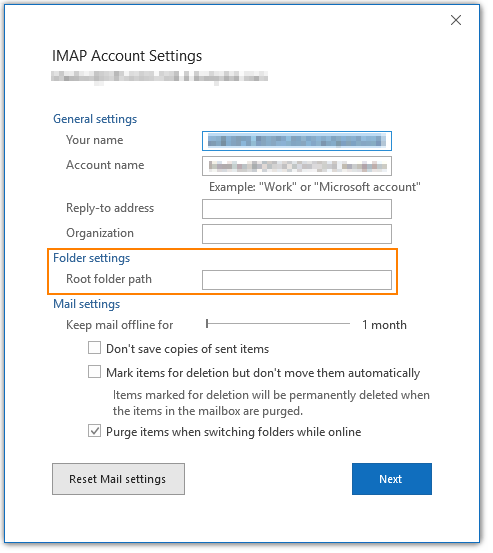
4. Click Next > Done
Please allow some time for you mail to populate.